
Zoom Small Group Boxing Training: 2026 Setup Workflow
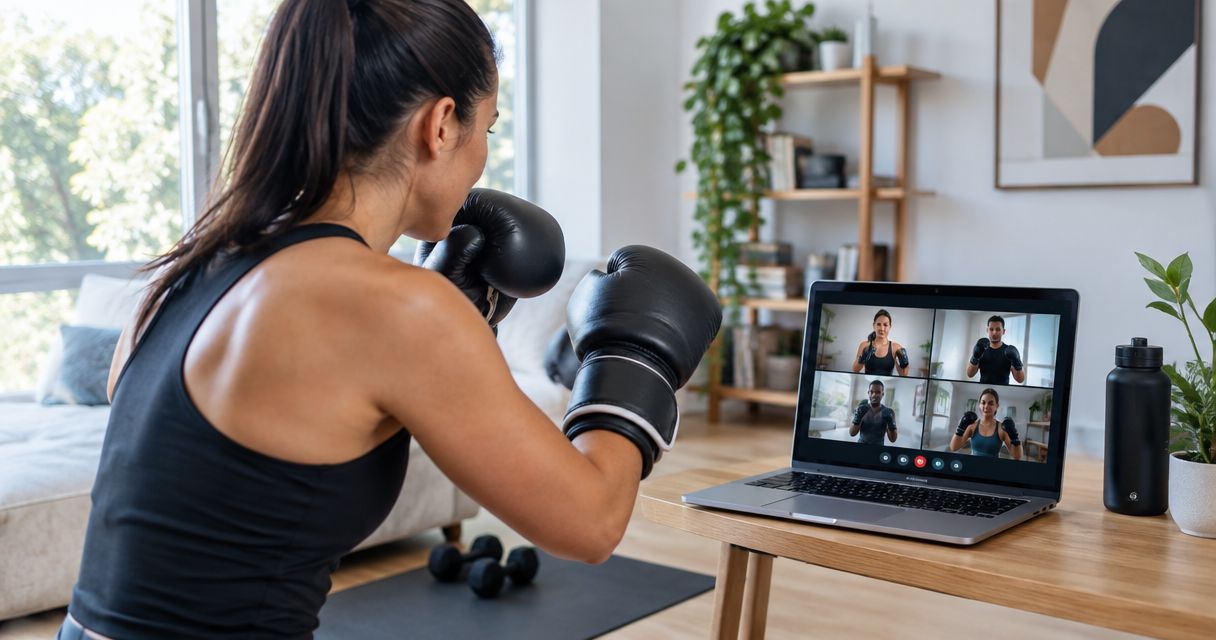
You can't coach footwork you can't see, and a laptop camera propped on a kitchen counter shows faces, not feet — that's the setup that kills most group Zoom sessions before round one. Instead of running three or four training partners through combos on a shaky default camera angle, build the session once: gallery view, hip-height framing, muted-until-called audio, and a 6x6 ft floor zone per person, and every future zoom small group boxing training session runs itself.
• Zoom small group boxing training works for 2-6 people when the camera sits at hip height, not face height, so the coach can see stance and pivots. • Zoom's free plan caps group meetings (3+ participants) at 40 minutes in 2026 — schedule around it or upgrade before the first session. • Mute Participants Upon Entry plus a push-to-talk protocol stops the mic feedback that ruins combo-calling drills. • A recurring meeting link with a fixed roster beats a fresh link every week for weekly small group classes.
Why this matters
One-on-one Zoom boxing coaching is a solved problem — one camera, one student, one feed. Small group sessions break that setup fast: more tiles competing for bandwidth, more mics that can bleed cross-talk into combo calls, and a coach who now has to read stance and guard height across 3-6 boxes at once instead of one. Better Through Boxing runs live small group sessions with Coach Chris Persaud over Zoom, and the difference between a session that flows and one that stalls almost always comes down to setup decisions made before anyone throws a punch. Get the camera angle, audio routing, and floor marking right once in 2026, and the same setup carries every session after it — recurring class, one-off group workout, or a mixed skill-level roster.
Before you start
• A Zoom account with group-call headroom. The free plan limits meetings with 3+ participants to 40 minutes — fine for a warm-up-only session, tight for a full 60-minute combo-and-conditioning class. Upgrade before the first real session, not mid-drill. • A dedicated camera stand or tripod, not a laptop lid. Every participant needs a device propped independently of a table edge; a laptop screen hinge doesn't hold a hip-height angle. • The gotcha: default webcam framing shows head-to-chest. For boxing, that's useless — the coach needs to see stance width, weight transfer, and foot pivots. Fix the camera height before scheduling the first class, because re-explaining camera setup mid-session eats the first 10 minutes of every group you run.
Set up your Zoom small group session
• Go to Meetings > Schedule a Meeting and set duration to 60 minutes. If you're on the free tier and have 3+ confirmed participants, budget for the 40-minute cutoff or upgrade first. • Under meeting settings, toggle Gallery View as the default layout so every tile displays at once instead of defaulting to whoever's speaking. • Turn on Waiting Room so participants land in a holding screen before the coach admits them — this keeps stragglers from walking into the middle of a drill explanation. • If the group repeats weekly, check Recurring meeting and use the same link every week instead of generating a fresh one. Expected result: a single meeting link where every participant lands in gallery view, visible simultaneously, with no one defaulting to a full-screen speaker view mid-drill.
Configure camera angle and floor space
• Prop the device at hip height, 6-8 feet back from where you'll stand, angled to capture head to feet in frame. • In Settings > Video, uncheck Mirror My Video so the coach's left/right corrections match what's actually happening on screen instead of flipping. • Mark a 6x6 ft zone with tape or a yoga mat corner so nobody drifts out of frame mid-combo — this matters more in a garage or basement than a wide-open room. A garage-to-home boxing gym setup makes this step close to automatic since the floor space is already fixed. • Test the frame before the group joins: throw a jab-cross and confirm both feet stay visible through the full extension. Expected result: the coach can see stance width, guard height, and foot pivots on every tile — not just torsos and faces.
Configure audio for group mitt and combo calling
• In scheduling settings, enable Mute Participants Upon Entry so the call doesn't open with four hot mics and four different room echoes. • Assign a push-to-talk habit: hold spacebar to unmute when answering a question, release to go quiet again. Zoom's spacebar-to-talk shortcut works while muted by default. • When calling out Core 4 punches or combo numbers, coach stays unmuted and everyone else stays muted — corrections happen one at a time through Manage Participants > individual unmute, not open-mic group chatter. Expected result: combo calls and defense cues land clearly on every device, with zero overlapping mic feedback during rep counts. Book a live Zoom small group session Small group boxing coaching with Coach Chris Persaud, live via Zoom, worldwide.
Running it as a recurring weekly class
A one-off group session and a standing weekly class need slightly different setup. For a recurring roster: • Use the Recurring meeting option with the same link every week instead of re-sending invites — fewer missed sessions from lost links. • Keep a simple attendance note outside Zoom so the coach can track who's missed a week and needs a mechanics recap before jumping back into combo work. • Pair skill levels loosely: absolute beginners doing Core 4 punch fundamentals don't need to share a tile grid with someone drilling slip-and-counter combos at competition pace — split into two shorter recurring meetings if the gap gets too wide. This is the same infrastructure as one-on-one coaching, just scaled to more tiles. If the group ever needs to drop back to individual sessions, the Zoom to live 1-on-1 boxing coaching workflow covers the single-participant version of this same setup.
Troubleshooting
• Video lags during pad and combo drills. Bandwidth, not the platform, is usually the cause — ask participants with 3+ other devices on the same Wi-Fi to pause downloads/streaming during class time. • A mic stays hot despite Mute on Entry. Some participants manually unmute out of habit right after joining — a 10-second reminder at the start of the first class fixes this permanently. • Camera shows torso only, not feet. Almost always a camera propped too low or too close. Re-check the 6-8 foot, hip-height rule from the setup step above. • Latecomers miss the warm-up. Waiting Room admission plus a recurring link reduces this, but a 5-minute buffer before combo work starts gives stragglers time to catch up without derailing the group. • Screen too small to catch small footwork errors. A laptop screen showing 4-6 gallery tiles compresses each person's stance to a postage stamp. Running the session on a larger display fixes this — see how to connect a smart TV to virtual boxing lessons for the exact setup.
Customize your workflow
Once the core Zoom small group boxing training setup is solid, a few add-ons extend it without adding complexity: • Record and clip sessions for review. Recording each class and cutting it into short combo-specific clips for participants to rewatch follows the same editing logic used by AI clip makers for podcasts and webinars — isolate the segment, keep it short, export it in a format the viewer can watch on a phone between sessions. • Track wearables during conditioning blocks. Heart-rate data during reaction drills and combo rounds gives participants an objective read on intensity that a mirror or a mat marking can't. • Rotate mitt work into the group format. Even without a partner in the room, shadow-combo calling paired with periodic 1-on-1 breakout checks keeps mechanics honest across a 2026 semester of weekly classes. The setup above scales from a single trial class to a standing weekly roster without rebuilding anything — the camera angle, mute protocol, and floor marking stay identical whether it's week one or week twenty of 2026.
FAQ
How many people can join a Zoom small group boxing training session? 2 to 6 participants works best for Zoom small group boxing training — enough for group energy without the coach losing visibility on stance and footwork across too many tiles. Does Zoom's free plan work for group boxing classes? Zoom's free plan caps meetings with 3 or more participants at 40 minutes in 2026, which covers a warm-up and technique block but cuts a full 60-minute class short. A paid Zoom plan removes the limit. What camera height works best for boxing coaching on Zoom? Hip height, 6-8 feet back from the training space, captures a full stance from head to feet. Face-height laptop cameras only show the upper body and miss footwork and pivots entirely. How do you stop mic feedback in a group boxing Zoom call? Enable Mute Participants Upon Entry and have everyone use push-to-talk (hold spacebar) instead of leaving mics open. The coach stays unmuted for calling combos; everyone else stays muted between corrections. Can beginners and advanced boxers train in the same Zoom group? A small skill gap works, but a wide one doesn't — beginners drilling Core 4 punch fundamentals move at a different pace than someone running slip-and-counter combos, so splitting into two shorter recurring sessions works better past a certain gap. Is Zoom small group boxing training as effective as in-person group classes? For technique correction, mechanics, and conditioning drills, a well-set-up Zoom small group session gets the same coaching cues as in-person — the main tradeoff is no live pad contact, which matters most for advanced mitt work. What floor space do you need for group Zoom boxing lessons? A 6x6 ft marked zone per participant is enough for stance work, footwork drills, and shadow combos without anyone drifting out of camera frame. How long should a Zoom small group boxing session run? 60 minutes covers a full warm-up, technique block, combo work, and cooldown. Shorter 40-minute sessions work fine for a technique-only or conditioning-only focus.
One last thing
The single biggest fix that changes a Zoom small group boxing training session from mediocre to sharp isn't the internet speed or the meeting settings — it's the 6-8 foot camera distance. Move the camera back before anything else, because a coach who can see full extension on a jab-cross can correct in real time; a coach staring at a chest-up frame is just guessing.
Train with Coach Chris
Ready to put this into practice with a coach watching every rep? Better Through Boxing is private, 1-on-1 coaching with Christopher Persaud — CoachUp's #1 ranked NJ trainer. Train live online over Zoom from anywhere in the world, or work the mitts in person across New Jersey. Book a session at betterthroughboxing.com and get real-time corrections on your stance, footwork, and punches.
Train anywhere with the Ronin Box app
Voice-cued boxing workouts, round timer, and progress tracking — coached by Chris, right in your pocket.

Scan to install