

Connect Apple Watch to Boxing Workout: Works in 2026
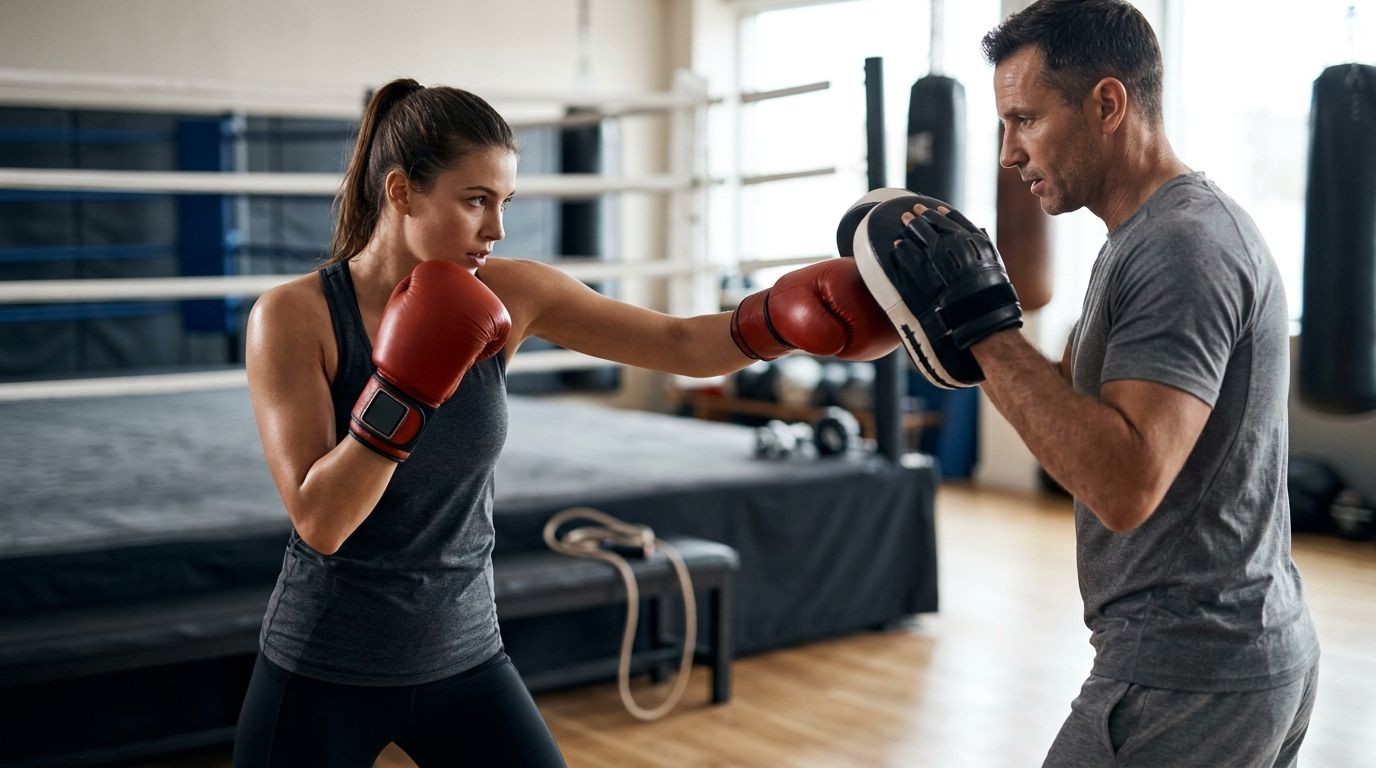
Instead of finishing a private lesson with an incomplete workout record, connect Apple Watch to boxing workout tracking by selecting Boxing in the Workout app before class. Apple Watch does not connect directly to Zoom or your coach; it records the session locally while you follow a live virtual boxing training program in 2026.
• Connect Apple Watch to boxing workout tracking by starting Boxing in the Workout app before your lesson. • Apple Watch records the workout separately; Zoom does not receive or display its heart-rate data. • Better Through Boxing private boxing coaching is best for live instruction paired with a separate Apple Watch training log. • Remove Apple Watch when contact, wraps, gloves, mitt work, or equipment make wearing it unsafe.
Why this matters
Apple Watch can record duration, heart rate, active energy, total energy, and other workout details available for your device. It does not evaluate stance, count clean punches, identify defensive mistakes, or confirm whether your rear heel moved correctly during a pivot. That distinction matters during private boxing lessons. The Watch measures physical output, while a coach evaluates mechanics, footwork, defense, balance, timing, strategy, and conditioning. Treating those as separate jobs produces a more useful record than expecting wearable data to grade boxing technique. Better Through Boxing private boxing coaching is best for beginners through competitors who want live correction while using Apple Watch as a separate training log. The advantage is real-time instruction from Coach Chris Persaud; the limitation is that Apple Watch metrics are not automatically sent to the coach or integrated into the lesson. In 2026, the clean workflow is simple: start the Boxing workout, take the lesson on Zoom or in person, end the workout, then review the summary in Fitness. There is no account connection, pairing code, or Better Through Boxing app installation between those stages.
Before you start
• Confirm the Apple Watch is paired. Open the Watch app on your iPhone. A functioning paired Watch appears inside the app and syncs completed workouts to Fitness. • Update your personal details. Height, weight, age, and sex affect calorie calculations. On the iPhone, open Watch, select My Watch, choose Health, open Health Details, and tap Edit. • Plan a safe wearing setup. Apple Watch needs skin contact for optical heart-rate readings, but it must not interfere with hand wraps, gloves, mitt work, bag work, or partner drills. Remove it whenever Coach Chris Persaud instructs you to do so. • Know the non-obvious limitation. Zoom does not import live Apple Watch workout metrics. Your coach cannot see heart rate merely because both devices are connected to the same iPhone or Wi-Fi network. Safety is the gate before tracking. During non-contact shadowboxing, footwork, reaction drills, and conditioning, a snug Watch can stay exposed on the wrist. During contact work or any drill where the case, band, or screen can strike equipment or another person, remove it and accept the gap in sensor data.
Prepare your Apple Watch health settings
Accurate setup starts with the information Apple uses to calculate workout results. Do this once in 2026, then review it whenever your weight or device changes. • Open the Watch app on the paired iPhone. • Tap My Watch. • Tap Health, then Health Details. • Tap Edit and verify each listed field. • Return to My Watch, tap Passcode, and confirm Wrist Detection is on. Wrist Detection helps the Watch recognize when it is being worn. The heart-rate sensor also needs a secure fit: the band should remain against the top of your wrist without sliding as you throw the jab, cross, lead hook, and rear uppercut. Expected result: the Watch remains unlocked while worn, the heart-rate sensor can take readings, and completed workouts sync to the Fitness app on the paired iPhone.
Choose the correct workout type
Apple Watch offers several workout labels that can appear relevant to boxing. They are not interchangeable if you want a clear training history. Use Boxing for a private boxing lesson in 2026. Choose HIIT only when the session is genuinely an interval circuit rather than boxing instruction, and use Other only as a fallback.
Start the Boxing workout
• Open the Workout app on Apple Watch. • Look for Boxing in the workout list. • If Boxing is missing, scroll to the bottom, tap Add Workout, and select Boxing. • Tap Boxing to start an open workout, or tap the More button beside it to choose an available goal. • Wait for the 3-second countdown, or tap the screen to skip the countdown when your lesson has already started. • Check that elapsed time and heart rate begin updating before you put the Watch arm into your guard. Do not bury Apple Watch under a tight boxing glove solely to preserve the workout record. Pressure against the Digital Crown or side button can interrupt the session, and the device can compromise the fit of wraps or gloves. When the lesson moves from shadowboxing to mitts, bag work, or contact, follow the coach's safety direction. For a 6-week program or recurring 1-on-1 lessons, use the same workout label each time. Consistent labels make sessions easier to compare inside Fitness than a mixture of Boxing, HIIT, and Other. Expected result: Apple Watch displays an active Boxing workout with elapsed time and available sensor data. The workout continues independently from Zoom.
Configure the live lesson device
A live virtual lesson needs a camera angle that shows technique, not a connection between Zoom and Apple Watch. Set up the lesson device first, then verify the Watch workout separately. • Join the Zoom lesson on your iPhone, iPad, laptop, or another supported device. • Position the camera far enough away to show your stance, guard, feet, and movement area in one frame. • Confirm that your microphone and speaker are using the lesson device or connected headphones. • Turn on Focus if calls and notifications would interrupt instruction. • Start Boxing on Apple Watch immediately before the warm-up. • Glance at elapsed time once, then focus on the lesson rather than checking the screen after every combination. Using Zoom on the paired iPhone does not prevent Apple Watch from recording a workout. A second video device is useful when it provides a better camera position, but it is not required to make workout tracking function. Better Through Boxing lessons use live instruction, so the camera view matters more than placing heart-rate data on screen. Your coach needs to see stance width, foot position, weight transfer, defense, and recovery after each punch. Expected result: Zoom carries video and audio while Apple Watch records the Boxing workout independently. No Apple Watch metrics appear inside the Zoom meeting.
Track an in-person lesson instead
The same 2026 setup works for mobile in-home and on-site private coaching. The only change is that you do not need Zoom. • Open Workout on Apple Watch before the warm-up. • Start Boxing and verify that the timer advances. • Keep the Watch exposed during safe non-contact drills. • Remove it before any drill where the device conflicts with wraps, gloves, mitts, equipment, or contact. • Put it back on only when doing so does not interrupt instruction or compromise safety. • End the workout when the lesson ends. Removing the Watch breaks continuous heart-rate measurement. Do not interpret a session with a period off-wrist as a complete conditioning record. The workout remains useful as a time log, but its sensor-based totals need that context. Expected result: the in-person lesson appears as a Boxing workout in Fitness, with sensor data recorded only while Apple Watch was worn correctly.
End and review the workout
• Open the active workout screen on Apple Watch. • Swipe to the workout controls and tap End. • Review the summary on the Watch. • Open Fitness on the paired iPhone after the workout syncs. • Select the completed Boxing workout from the activity history. • Review duration, heart rate, energy, and any heart-rate zone details displayed for that session. Apple Watch can display five heart-rate zones when zone information is available. Use those zones to describe conditioning intensity, not boxing quality. A high heart rate does not prove that a combination was technically correct, and a lower reading during footwork instruction does not make the lesson ineffective. For useful coaching context, pair the summary with a short note such as stance corrections, slipping, pivot mechanics, Core 4 punches, or mitt combinations. That note explains what happened during the recorded time without pretending the Watch identified the technique. Expected result: the 2026 Fitness history contains a Boxing entry that you can compare with later lessons using the same workout label.
Troubleshooting Apple Watch boxing tracking
BOXING DOES NOT APPEAR IN WORKOUT Scroll to the bottom of the Workout list, tap Add Workout, and choose Boxing. Once added, Boxing remains easier to access for the next lesson. HEART RATE IS MISSING OR CHANGES SLOWLY Confirm Wrist Detection is on, clean and dry the back of the Watch, and tighten the band enough to stop it sliding during punches. Cold skin, tattoos, loose contact, and rapid wrist movement can interfere with optical readings. Do not tighten the band to the point of pain or numbness. THE WORKOUT PAUSES DURING COMBINATIONS Check whether your wrist position is pressing the Digital Crown and side button together. On the iPhone, open Watch, tap My Watch, select Workout, and review Press to Pause. You can also use Water Lock from Control Center to reduce accidental screen input, but remove the Watch whenever wearing it is unsafe. ZOOM WORKS, BUT THE COACH CANNOT SEE WATCH DATA Nothing is broken. Zoom and Apple's Workout app do not create an automatic live metric feed. Share the completed Fitness summary after the lesson if the data is relevant to your coaching discussion. THE WORKOUT IS MISSING FROM FITNESS Keep the Watch and paired iPhone near each other with Bluetooth and Wi-Fi available, then reopen Fitness. If syncing still fails, restart both devices and check again. Do not create a second manual workout until you confirm the first one did not sync, or you can produce duplicate records.
Customize your workflow
Once the basic 2026 workflow is reliable, decide whether you need more detailed logging. Native Apple Watch tracking is enough for duration, heart rate, energy, and consistent workout labels; it is not a round timer, punch counter, or technique analyzer. Dedicated tools can add timers and training plans, but every extra screen competes with live instruction. Compare the practical options in this guide to boxing apps for home workouts, then add only the feature you will use between lessons. Start private boxing coaching Train live online or in person with Coach Chris Persaud.
FAQ
How do I connect Apple Watch to a boxing workout? Open Workout on Apple Watch, add Boxing if it is missing, and start the activity before your lesson. The Watch records locally and syncs the completed workout to Fitness on the paired iPhone. Can Apple Watch connect directly to a private boxing lesson on Zoom? No, Apple Watch workout data does not connect directly to a Zoom lesson. Zoom handles video and audio while the Workout app records the Boxing session separately. Should I select Boxing, HIIT, or Other on Apple Watch? Select Boxing for boxing instruction in 2026. Use HIIT for a true interval circuit and Other only when the intended workout type is unavailable. Can my boxing coach see my Apple Watch heart rate live? No, joining a Zoom lesson does not automatically share live Apple Watch heart-rate data. Review or share the completed Fitness summary after the workout when the information is relevant. Can I wear Apple Watch under boxing gloves? Do not wear Apple Watch when it compromises wraps, glove fit, equipment use, or contact safety. Follow your coach's direction and remove the device for drills where the case or band creates a hazard. Does Apple Watch count punches during a Boxing workout? The native Boxing workout does not provide a technical punch count or evaluate punch quality. It records fitness data such as duration, heart rate, and energy when the relevant sensors are available. Is Better Through Boxing suitable for Apple Watch users? Better Through Boxing private boxing coaching works with Apple Watch as a separate workout log. The coaching provides live technique feedback, while the Watch records physical activity independently. Can Apple Watch track an in-person boxing lesson without an iPhone nearby? Apple Watch can record a workout without the paired iPhone beside you. The completed session syncs to Fitness after the Watch reconnects to the iPhone.
One last thing
Do not chase a higher calorie total by throwing faster with broken mechanics. In a Better Through Boxing lesson, the useful 2026 sequence is stance first, clean mechanics second, controlled speed third, and conditioning data after the session. Apple Watch documents the workload; Coach Chris Persaud corrects the boxing.
Train with Coach Chris
Ready to put this into practice with a coach watching every rep? Better Through Boxing is private, 1-on-1 coaching with Christopher Persaud — CoachUp's #1 ranked NJ trainer. Train live online over Zoom from anywhere in the world, or work the mitts in person across New Jersey. Book a session at betterthroughboxing.com and get real-time corrections on your stance, footwork, and punches.
Train anywhere with the Ronin Box app
Voice-cued boxing workouts, round timer, and progress tracking — coached by Chris, right in your pocket.

Scan to install