
Automatically Track Boxing Workout Calories in 2026
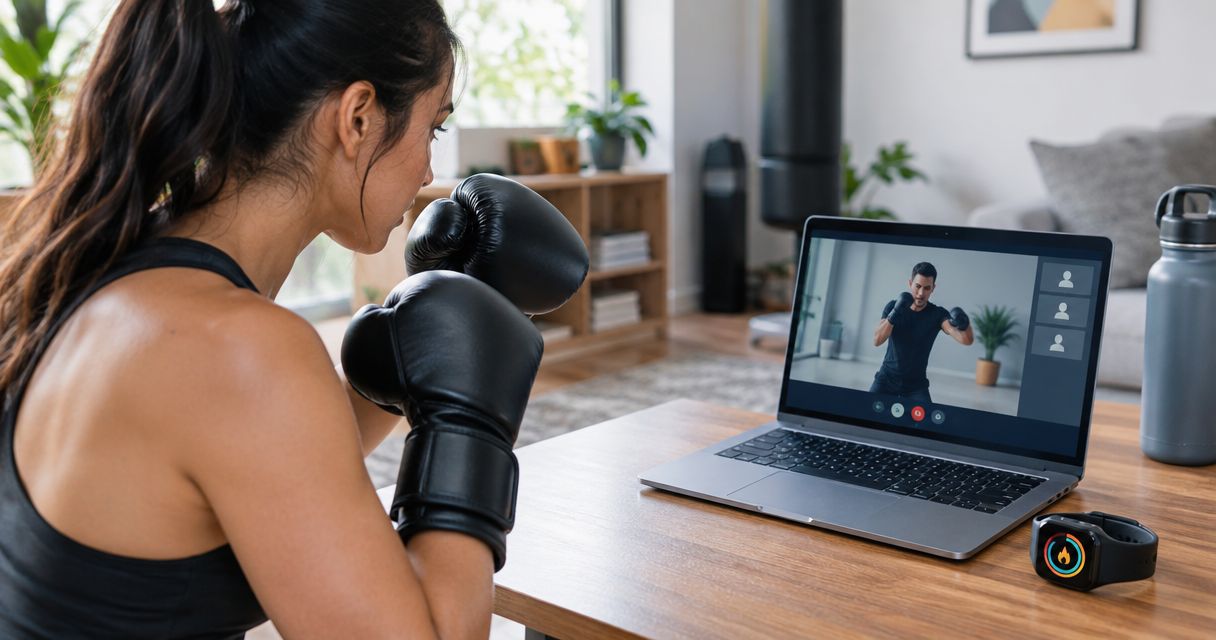
Manually punching your heavy-bag numbers into MyFitnessPal after every Zoom lesson wastes ten minutes you could spend stretching or icing your knuckles. Pair a chest-strap heart rate monitor or Apple Watch with a fitness app before the lesson starts, and calories log themselves the moment Coach Chris Persaud calls time on the last round.
• Automatically track boxing workout calories by pairing a chest strap or Apple Watch with a fitness app BEFORE your Zoom lesson begins, not after. • Apple Watch's Workout app auto-detects movement and syncs to Apple Health with zero manual entry. • A Polar or Wahoo chest strap reads heart rate more accurately than a wrist sensor during mitt work, where punch impact throws off optical readings. • Zoom has no fitness API in 2026 - it never talks to your monitor or watch, so the tracking app has to run independently. • Private boxing lessons with Better Through Boxing run 30-60 minutes, long enough for automatic tracking to capture a full calorie count.
Why this matters
Boxing training burns real calories, but only if you can see the number without doing math on a towel-drenched phone screen. Coach Chris Persaud runs live 1-on-1 boxing coaching over Zoom for clients worldwide, and most of them want the same thing after a hard round of mitt work: proof of the work, without a five-minute logging chore. Manually estimating calories after a boxing session is guesswork. Automatic tracking through a heart rate monitor or Apple Watch turns every Better Through Boxing lesson into a data point you can actually trust and compare week over week in 2026.
Before you start
• An Apple Watch (any generation with the Workout app) or a Bluetooth chest strap heart rate monitor such as a Polar or Wahoo model. • A phone or tablet running Zoom, plus a fitness app - Apple Health, Strava, or your monitor's companion app - with Bluetooth turned on before the lesson. • The gotcha: Zoom has no fitness API. It never reads your heart rate monitor or watch data on its own. You start the workout app manually before joining the call, or the entire lesson logs as zero calories.
Set up your heart rate monitor trigger
• Open your fitness app on your phone - Polar Flow, Wahoo Fitness, or Apple Health's paired app. • Turn on the chest strap or watch and confirm the app shows a live heart rate number before you do anything else. • Tap Start Workout and select Boxing or High Intensity Interval Training if boxing isn't listed as its own category. • Set the phone in view or on a nearby surface, then join your Zoom lesson. Full setup steps for pairing a monitor to your training routine are covered in the heart rate monitor connection guide. Expected result: the live heart rate graph keeps climbing as you throw the Core 4 punches, proving the trigger is running independent of Zoom.
Configure your workout app to log the session accurately
• In Settings, confirm the activity type is set to Boxing or Kickboxing, not Walking or General Fitness - this changes the calorie formula entirely. • Enter your current body weight if the app asks; calorie burn scales directly with it. • Leave GPS off. Nothing about an indoor Zoom lesson needs location tracking, and it drains battery you need for a full 45-60 minute session. • Tap End Workout the moment the lesson wraps, before you set the phone down to towel off. Expected result: a summary screen showing total calories, average heart rate, and a duration matching your Zoom lesson length almost to the minute.
Sync calories back to Apple Health or Strava
• Open Apple Health or Strava once the workout ends and confirm the new session appears under Workouts. • If it doesn't show up within a minute, open the source app and pull down to force a manual sync - most delays are a Bluetooth handoff issue, not a broken connection. • Check that Active Calories and Heart Rate both populated. A workout with a duration but zero calories almost always means the activity type got left on Other. Expected result: your calorie total from that Zoom lesson sits in your daily activity ring or Strava feed without you touching a keyboard.
Use your Apple Watch instead of a chest strap
If you already own an Apple Watch, you can skip the chest strap entirely and run the same workflow through the built-in Workout app. Detailed pairing instructions live in the Apple Watch connection guide, but the short version: open Workout, select Boxing or HIIT, start it, then join Zoom. Neither option is wrong. The Apple Watch wins on convenience, the chest strap wins on accuracy during heavy mitt rounds - pick based on whether you're chasing a rough number or a precise one. Book a live boxing lesson Train live over Zoom with Coach Chris Persaud, worldwide or in-person in NJ.
Troubleshooting
• Workout shows duration but 0 calories: the activity type wasn't set to Boxing or HIIT before you started. Switch it and confirm your body weight is entered. • Apple Watch isn't registering punches: wrist-based accelerometers undercount short, fast guard-position movements during mitt work. Pair a chest strap for pad rounds instead. • Heart rate monitor won't connect over Bluetooth: another fitness app may already be holding the connection. Close every other health app before opening the one you want to use. • Calories logged twice in Apple Health: your Watch and a paired iPhone app both recorded the same session separately. Use only one data source per lesson. • Phone battery dies before the workout ends: running Zoom and a fitness app together for a 60-minute session drains a phone faster than either app alone. Plug in before the lesson starts.
Customize your workflow
Once automatic calorie tracking is running, it's worth building the rest of your Zoom setup around it. The Zoom-to-live 1-on-1 boxing coaching workflow covers how to structure a full private lesson from login to cooldown, so your tracking data lines up with actual round timing instead of guesswork. If you train more than once a week, compare your calorie totals across sessions rather than looking at a single number. A 2026 trend line across four weeks of private boxing coaching tells you more about conditioning progress than any single workout summary ever will.
FAQ
Can Zoom track my heart rate or calories during a boxing lesson? No. Zoom has no fitness API and never reads heart rate or calorie data on its own. Pair a heart rate monitor or Apple Watch's Workout app separately to get automatic tracking. Does Apple Watch accurately track calories during boxing? It's reasonably accurate for straight punches and footwork drills but less precise during mitt work, where wrist movement is short and fast. A chest strap reads heart rate more consistently in that scenario. How many calories does a boxing lesson burn? Published exercise calorie charts put boxing training at roughly 500-800 calories per hour depending on body weight and intensity, similar to a hard cardio kickboxing session. What's the best heart rate monitor for boxing training? A Bluetooth chest strap like a Polar or Wahoo model reads heart rate from the chest's electrical signal, which stays accurate through punch impact, unlike a wrist-based sensor. Do I need special equipment to log calories automatically? No extra gear beyond a phone running a fitness app and either a chest strap or a compatible smartwatch covers it entirely. Can I track calories for in-person boxing lessons the same way? Yes. The same heart rate monitor and workout app setup works whether the lesson happens over Zoom or in person at home in Somerset County, New Jersey. Why did my workout log zero calories after class? The activity type in your fitness app was probably left on Other or Walking instead of Boxing or HIIT before you started. The calorie formula only kicks in once the right activity type is selected. Is automatic calorie tracking worth setting up for a single 30-minute lesson? Yes. Setup takes under two minutes once you've done it the first time, and it removes manual logging for every future Zoom lesson afterward.
One last thing
Most fitness apps quietly default back to your last-used activity type after a week of mixed workouts. Set the activity type to Boxing before every single Zoom lesson in 2026, not just the first one - it's the single most common reason a perfectly good tracking setup logs a zero-calorie session out of nowhere.
Train with Coach Chris
Ready to put this into practice with a coach watching every rep? Better Through Boxing is private, 1-on-1 coaching with Christopher Persaud — CoachUp's #1 ranked NJ trainer. Train live online over Zoom from anywhere in the world, or work the mitts in person across New Jersey. Book a session at betterthroughboxing.com and get real-time corrections on your stance, footwork, and punches.
Train anywhere with the Ronin Box app
Voice-cued boxing workouts, round timer, and progress tracking — coached by Chris, right in your pocket.

Scan to install